The $380k PMax mistake sitting in your account right now (we found it in 12 minutes)
Stephan Ochse ·
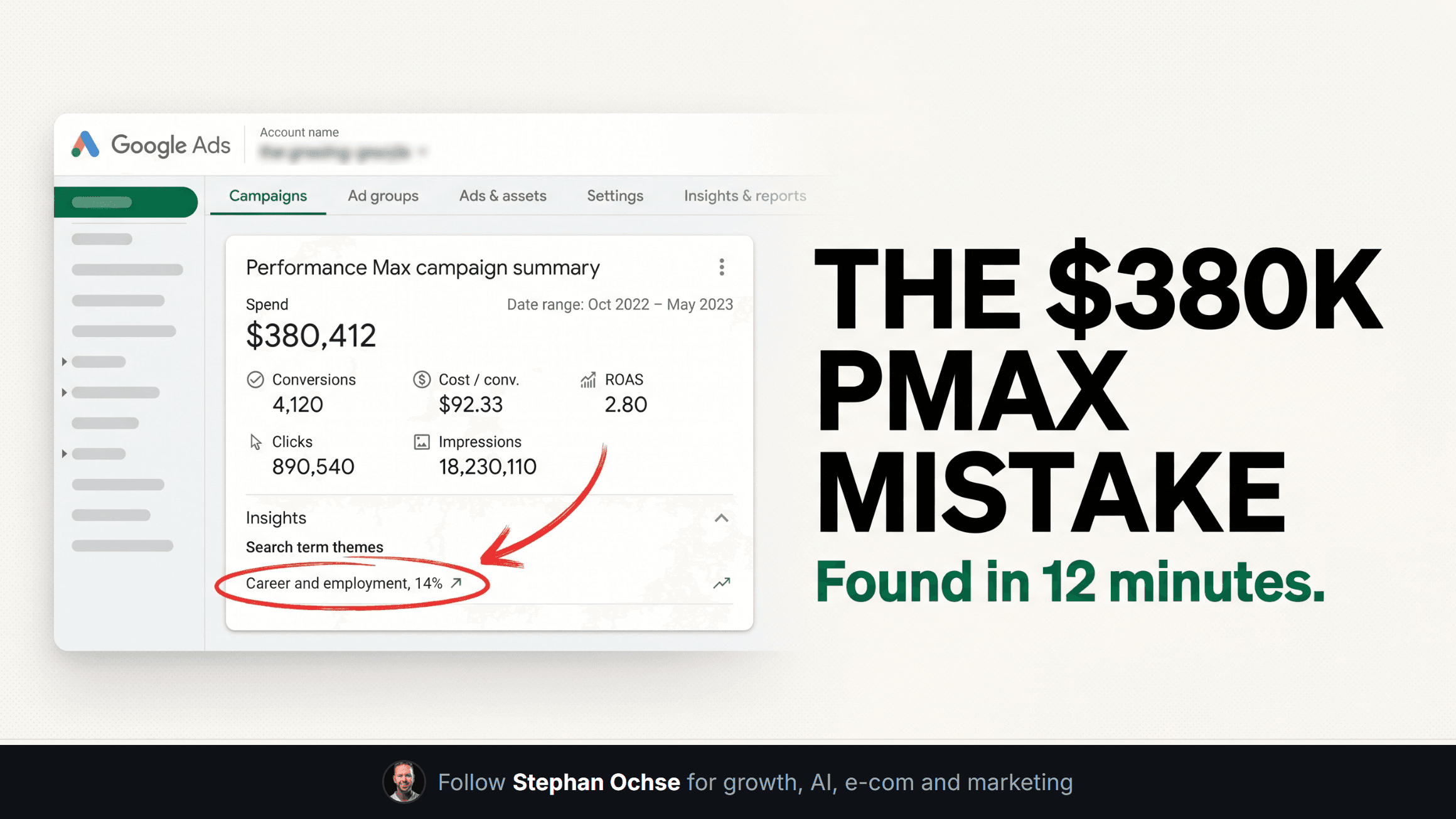
An 8-figure supplement brand handed us their ad account in March. Performance Max had run for eight months. Spend sat at $380,000. Nobody on the account, agency or in-house, had pulled the actual search terms behind that number.
We pulled them. What we found is the reason this edition exists, and it took twelve minutes to fix once we saw it.
**What we found**
The account had one negative keyword list. It lived on a Search campaign that had been paused for four months. Performance Max never touched it. For eight months, PMax bid on "supplement jobs," "protein powder recipes for free," and a dozen branded terms belonging to a much bigger competitor, three separate times, at three different match variants.
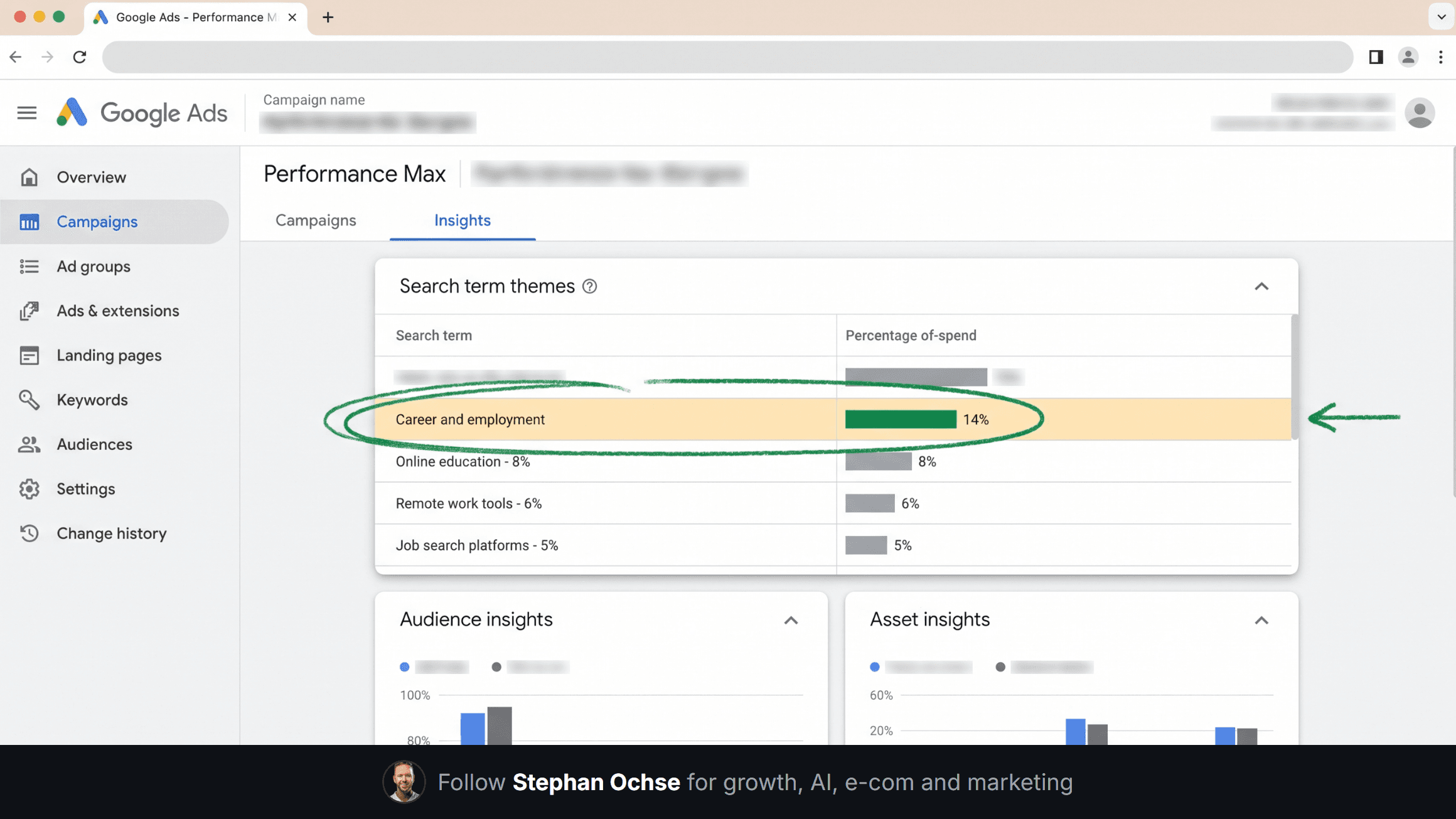
Google's own insights tab showed a "search term theme" called "career and employment." Nobody had opened that tab since launch. The theme sat there the entire time, labeled in plain text, ignored.
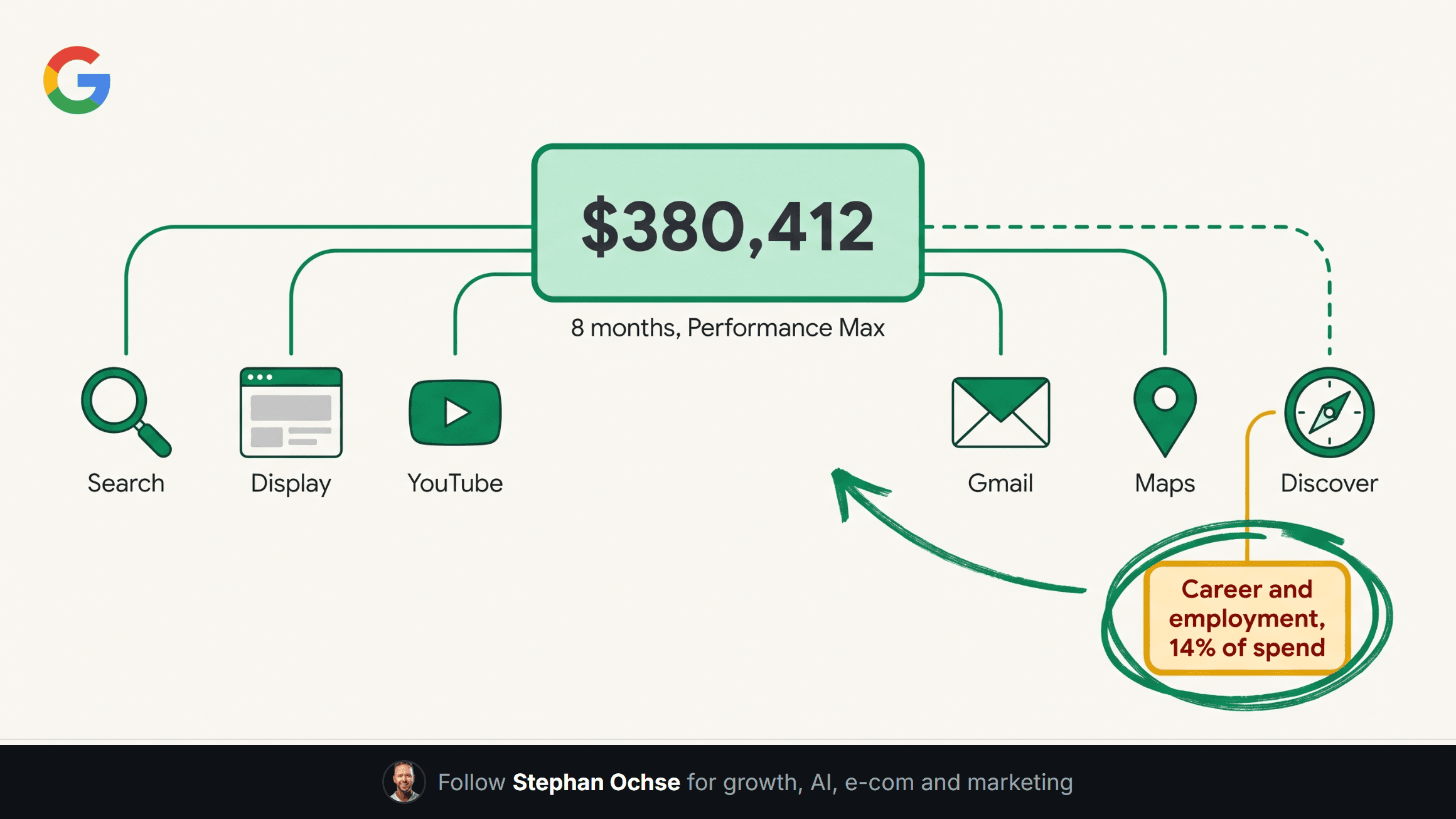
Total waste on the categories we could isolate: north of $61,000. That's real budget that should have gone to a channel with buyers on it, not a rounding error against $380k.
[IMAGE-1: Hyper-realistic screenshot of the Google Ads web interface, left nav visible with the Google Ads logo, a Performance Max campaign open on the "Insights" tab, showing a "Search terms" module with a highlighted category row reading "Career and employment" at 14% of spend, a small red annotation circle hand-drawn around that row, account name and campaign name blurred per standard practice]
**Why PMax hides this by design**
Performance Max is not a keyword campaign wearing a new name. It's an automated bidding system that buys across Search, Display, YouTube, Gmail, Maps, and Discover from one budget, and Google built it to withhold the individual queries that triggered a click. You get "search term themes," a handful of aggregated categories, not the line-by-line search terms a Search campaign gives you for free.
That design choice isn't an accident. It protects the auction from advertisers gaming individual queries the way they used to game Search. The tradeoff: you lose visibility at the moment the system spends the most money, on the widest surface area.
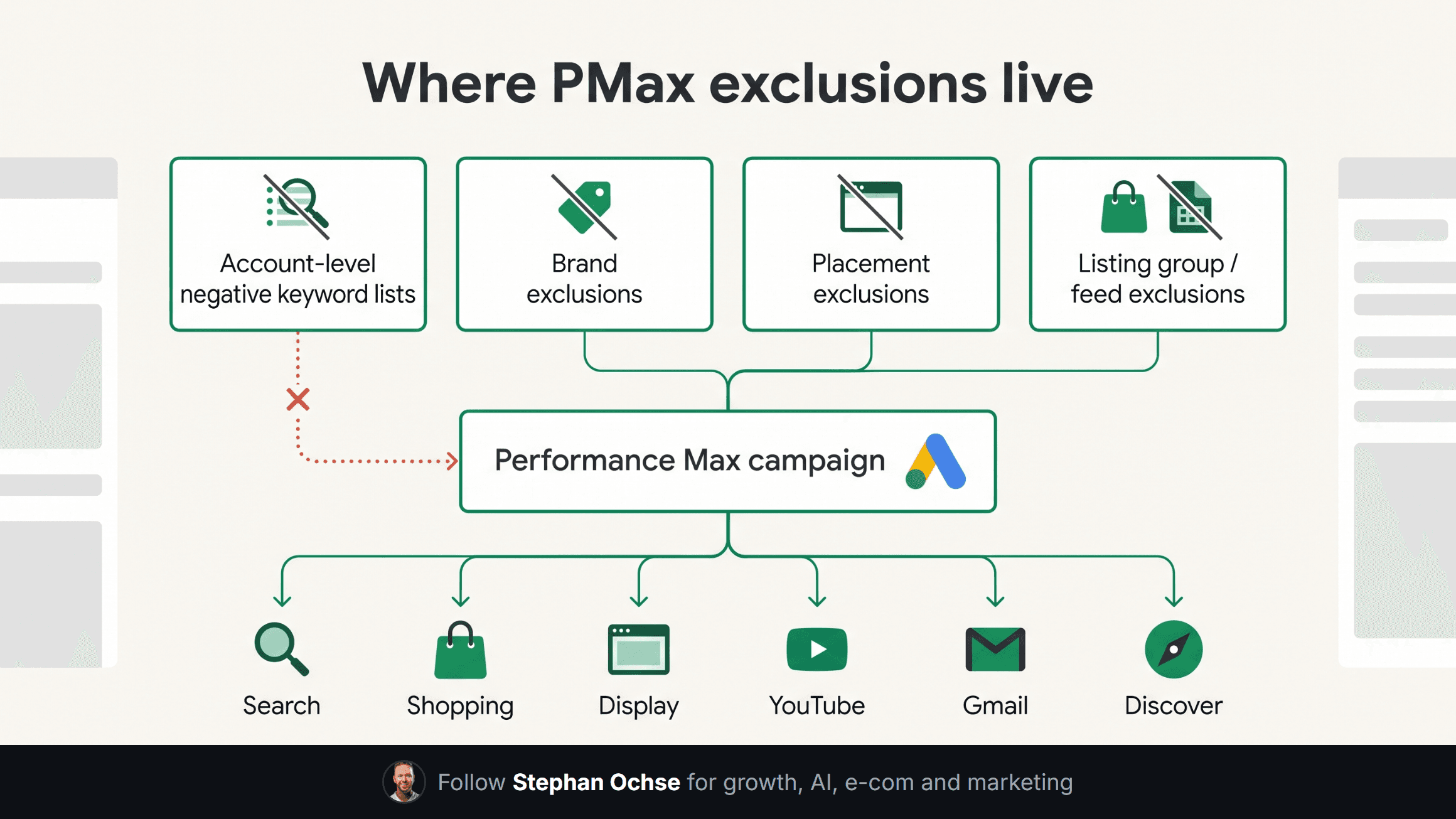
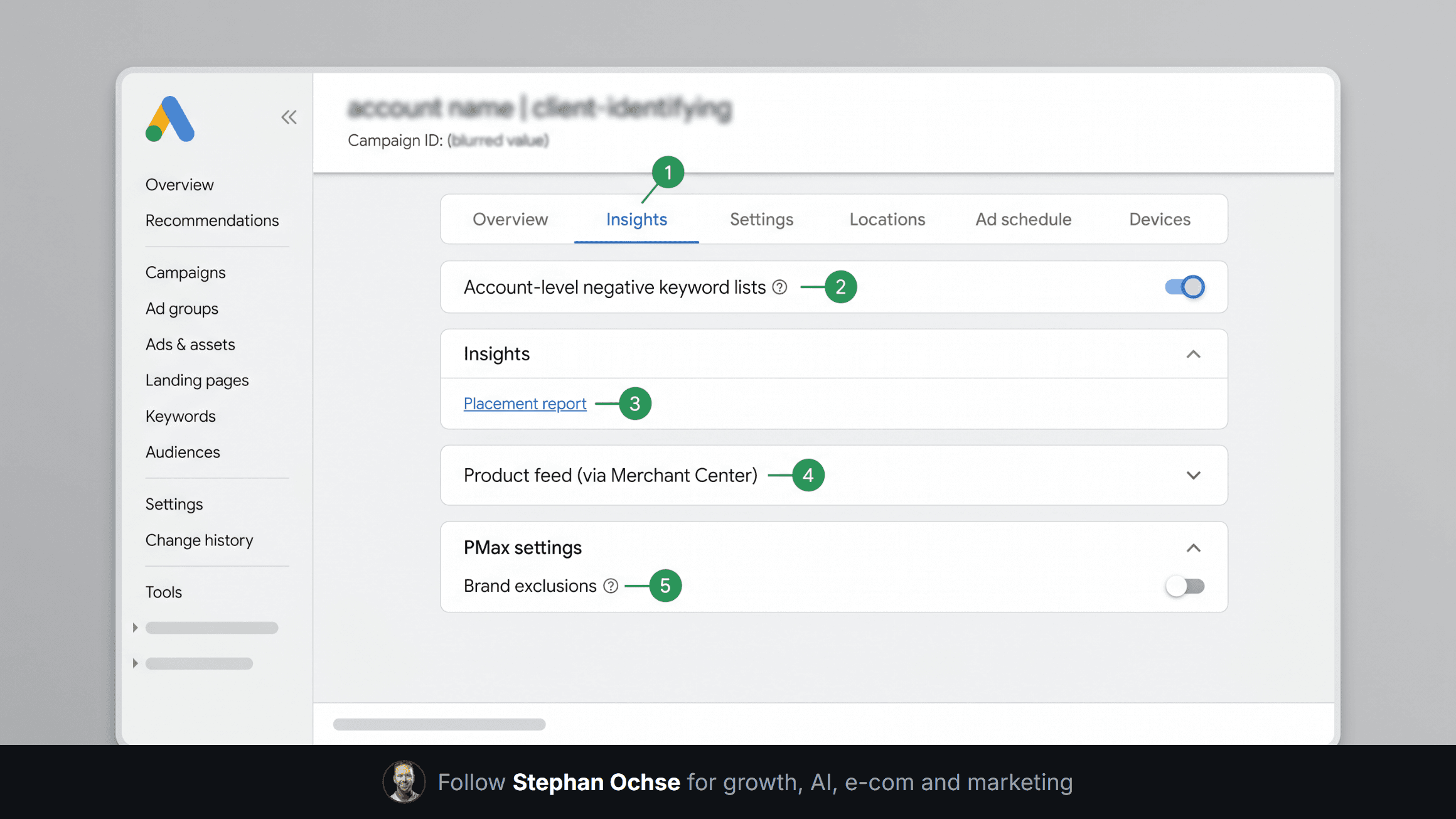
Exclusions still work. They live somewhere other than where most advertisers look. A campaign-level negative keyword list on a paused Search campaign does nothing for PMax. PMax reads from account-level negative keyword lists only, and even those skip Shopping-sourced traffic inside PMax the way they cover Search. Brand exclusions, placement exclusions, and listing group exclusions sit in different corners of the interface, and Google has moved several of them in the last two product updates.
[IMAGE-2: Dense, nerdy technical diagram on an off-white background with emerald green accent lines, titled "Where PMax exclusions live," showing four separate boxes (Account-level negative keyword lists, Brand exclusions, Placement exclusions, Listing group / feed exclusions) each connected by arrows to a central PMax campaign node, with small icon labels for Search, Shopping, Display, YouTube, Gmail, and Discover branching off the PMax node, annotated with a dotted red line showing the broken path in this account]
**The 12-minute fix**
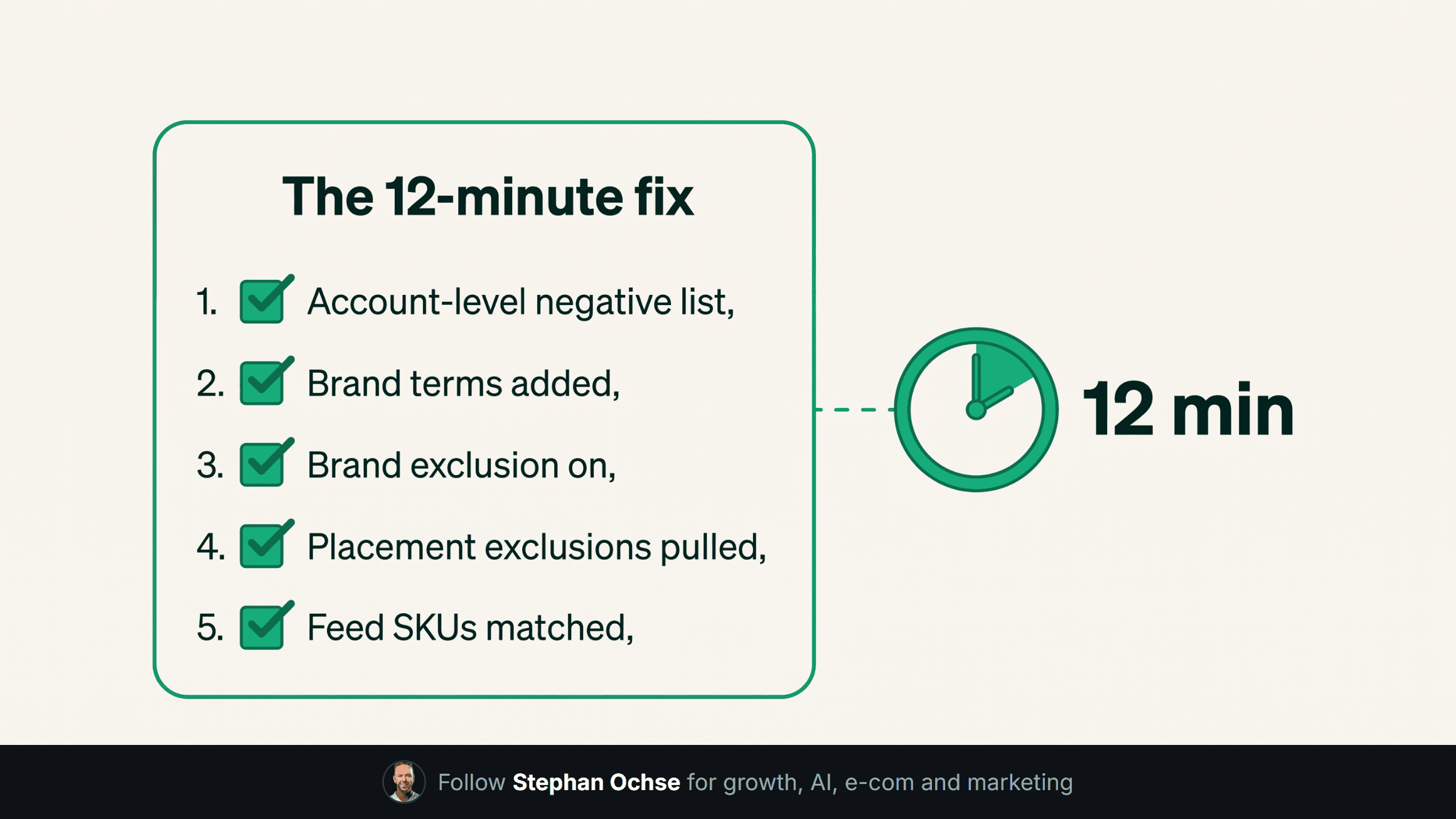
Once we saw the gap, closing it took twelve minutes.
1. Built one account-level negative keyword list and attached it to every active campaign, PMax included. 2. Added the competitor brand terms and the "jobs/careers/recipes" cluster the insights tab had been flagging for months. 3. Turned on brand exclusions inside the PMax campaign settings so branded impressions stopped competing against the client's own organic listings. 4. Checked placement exclusions and pulled three low-quality YouTube channels and two apps that had absorbed Display spend with zero conversions. 5. Confirmed the feed-based listing group exclusions matched current SKUs, since two discontinued products were still eating budget through Shopping ads inside PMax.
Spend on the wasted categories dropped within four days. ROAS on the account moved from 2.1x to 3.4x over the following three weeks, holding budget flat. No new campaign, no new bid strategy, no new creative. A text file, applied to the right place, that nobody had checked in eight months.
[IMAGE-3: Realistic close-up photo-style render of a physical checklist card on a clipboard, off-white paper stock with emerald green checkmarks already ticked next to five items, sitting on a desk beside a laptop showing a Google Ads dashboard in soft focus behind it, natural daylight, no logos, hyper-realistic texture on the paper]
**Run this audit on your own account this week**
You don't need an agency to check this. You need twenty minutes and access to your own account.
Open every PMax campaign and check the Insights tab for search term themes. Anything unrelated to what you sell gets flagged. Confirm an account-level negative keyword list exists and that it covers your PMax campaigns, not Search alone. Pull the placement report under PMax insights and look for apps, games, or channels with spend and no conversions. Cross-check your Shopping feed against your current live SKUs; discontinued products still burn Shopping budget inside PMax more than most operators expect. Turn on brand exclusion if you run a branded Search campaign alongside PMax, since the two will otherwise compete against each other for the same click.
None of this requires a rebuild. It requires someone opening the tabs Google already gives you.
We run this exact checklist across every account in our book, north of 100 accounts spanning $300k to $2.5M a month in managed spend, and the pattern repeats more than it should. PMax isn't broken. Most accounts running it never got audited past launch day.
Next edition: the feed field that caps your Shopping impressions without warning, and how one field change moved a client's conversion rate without touching a single bid.
If you want us to run this checklist against your own account, reply to this email. If this helped, forward it to whoever owns your Google Ads account.