The 30-minute feed fix that beats 30 days of bidding
Stephan Ochse ·

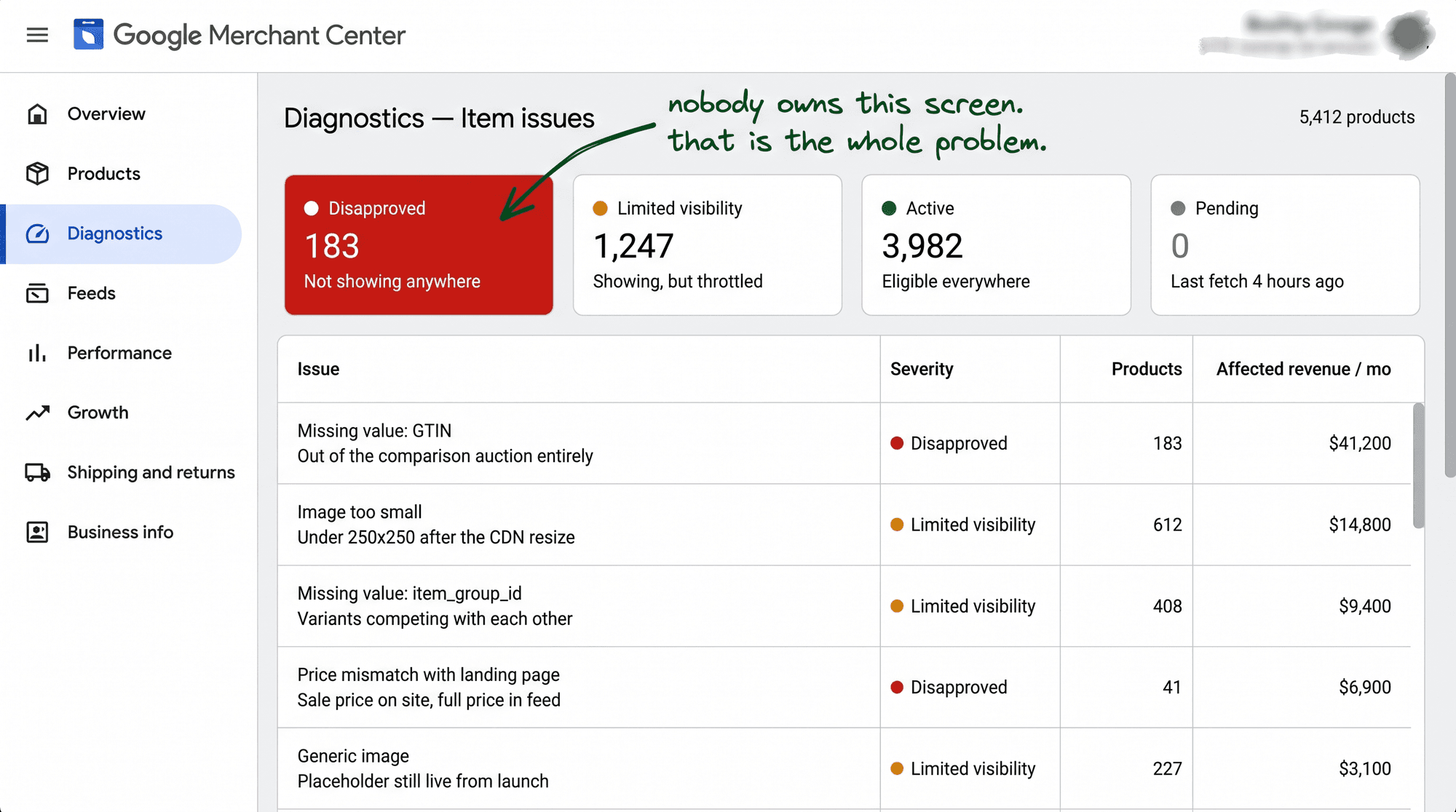
A Monday, 9:14am. 183 products went dark in Merchant Center and nobody had touched a single bid.
The Shopping campaigns started starving inside the hour. Impressions sliding, revenue on the chart bending down like someone let the air out of it. And here's the ugly part. No alert fired. Google doesn't ping you when this happens. The account keeps bleeding until a human opens the right tab and looks.
I run 100+ Google Ads accounts between $300k and $2.5M a month, and this exact Monday never announces itself. The revenue leaks, quiet, until someone scrolls past a soft chart three weeks later and asks the question.
So let me give you the whole thing. The chain, the break, the 30-minute fix, and the system that means it never happens twice.
The reflex that burns a month
When Shopping revenue drops, everyone reaches for the same levers. Open the campaign. Move the bids. Maybe the tROAS target got too tight, maybe throw more budget at it and muscle through.
I once watched another agency burn a full month on bid experiments while the account was broken three steps upstream. They were tuning the engine with the fuel line cut. New tROAS target every four days, budget nudged up and down, a whole spreadsheet of "tests," and not one dollar of it could have worked. Because the problem was never in the auction.
The ads were fine. The campaign structure was clean. The bids were sane and the budget was sitting right there, ready to spend. Nothing inside Google Ads was wrong.
The break was one attribute in the feed. In a system most media buyers never open.
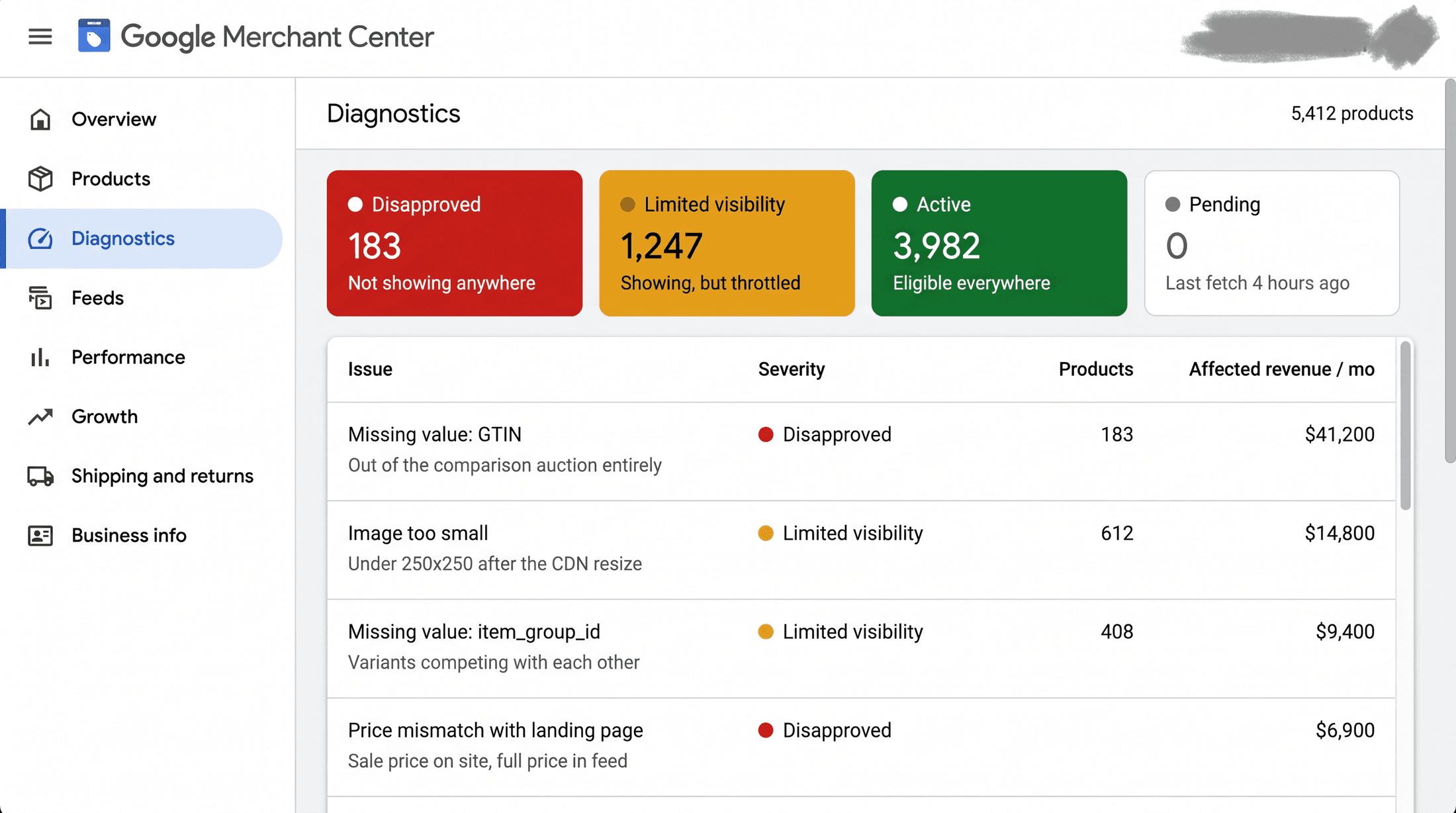
[IMAGE-1: Merchant Center Diagnostics tab, item issues table: 183 products with red "Disapproved" chips, reason column reading "Missing GTIN", sorted by impact. Store name blurred. Real Merchant Center UI.]
The chain nobody watches
Three links, in order.
→ Merchant Center holds your catalog and decides which products are even allowed to show. → Shopping and PMax take the approved products and deliver the click. → The product page converts the click into money.
A media buyer watches the middle link, because the middle link is the one with the bid button on it. That's the whole trap. The lever you can see is the middle one, so that's the one you pull, even when the break is one link to the left.
Here's the part that matters, and it's the sentence I'd tattoo on every new hire: eligibility comes before bidding, every time. A product that isn't approved in Merchant Center can't serve at any bid. It's not losing the auction. It isn't in the auction. You can pour the entire budget on it and nothing moves, because Google decides "is this product allowed to show" before it ever decides "how much does this click cost."
So when 183 products lose their approval, the campaign doesn't throw an error. It just stops having those products to show. To the algorithm they didn't get expensive. They stopped existing.
[IMAGE-2: Horizontal flow diagram, Merchant Center to Shopping/PMax to Product page to Purchase, with an "eligibility gate" stamped between Merchant Center and Shopping and a red X breaking the first arrow labeled "GTIN dropped".]
What broke, and why
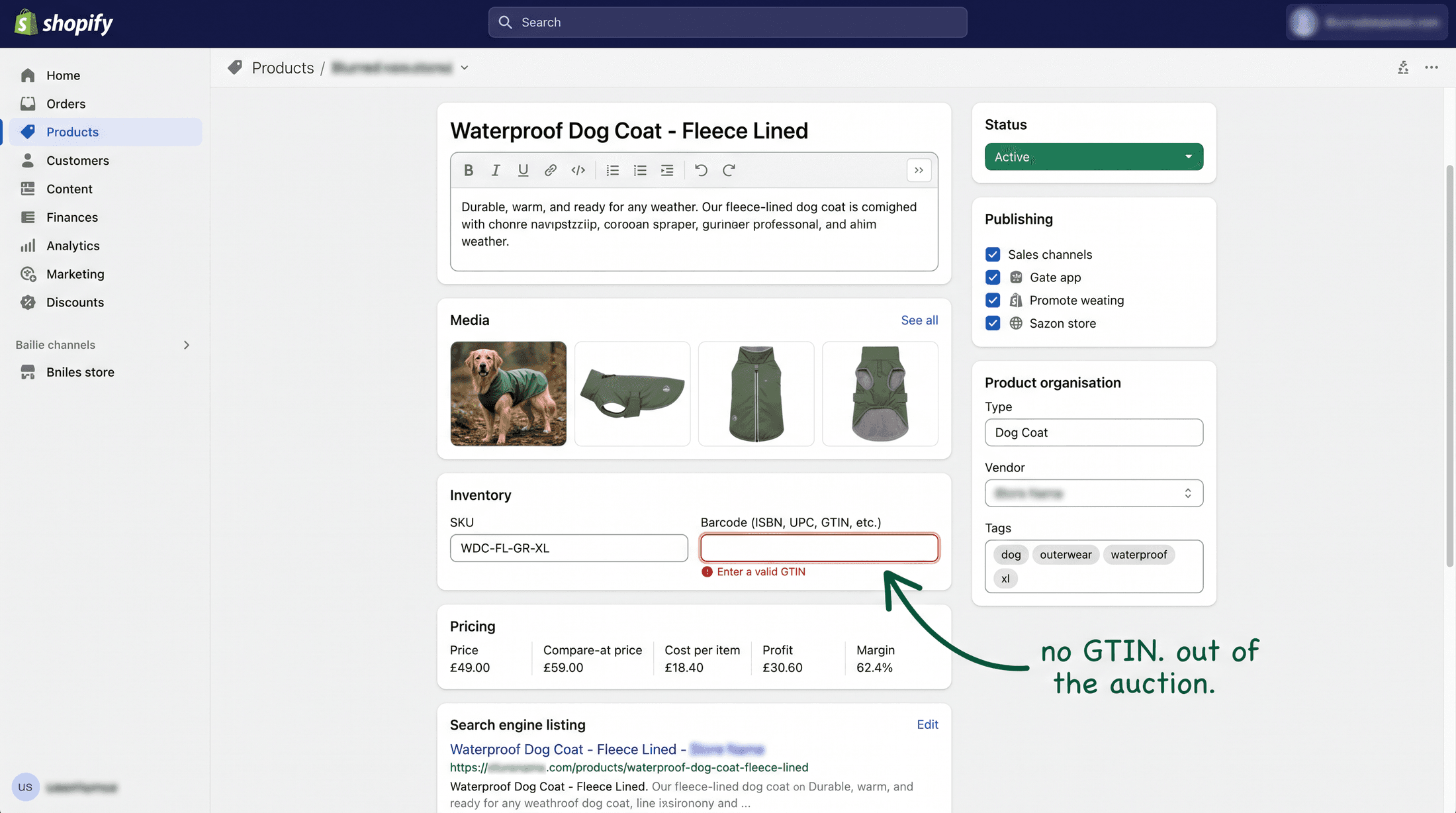
The cause was almost dumb. A catalog update dropped the GTINs on 183 products. One field.
A backend sync pushed a change overnight, the GTIN mapping came apart, and Google disapproved the lot in a single sweep the next morning. The barcode field went blank, and for a branded product a missing GTIN is a hard "we can't verify this is real" from Google. So it pulls them.
Here's why that one field carries so much weight.
The GTIN is how Google matches your product to the real-world item it is. It's the barcode number, the thing that says "this is that exact model, made by that exact brand." Google uses it to slot your product into the right auction and to trust your listing is a real thing, not a spam page. Strip the GTIN off a branded product and you've taken away Google's proof. No proof, no listing.
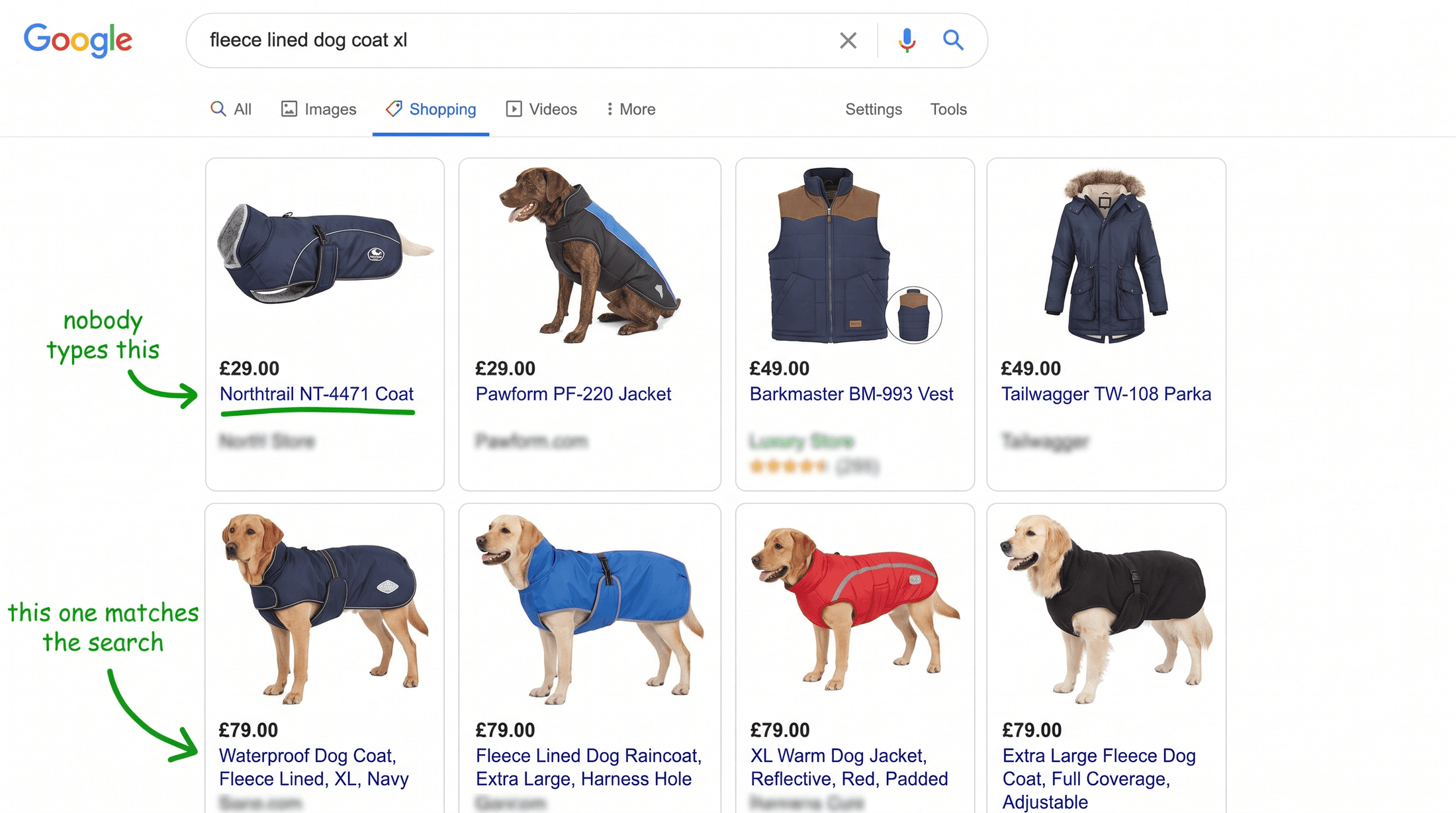
And the way it breaks is almost always boring. Someone runs a bulk edit in Shopify that blanks the barcode column. A supplier feed stops populating that field. An app that rewrites variants clears the barcodes as a side effect. You don't get a warning. The next scheduled fetch pulls the empty field and Google acts on it.
[IMAGE-3: Google Ads Shopping impressions chart, 7 days: steady, then a vertical cliff to near-zero at Monday 9am annotated "no bid change", flat two days, then a sharp climb doubling past baseline after the fix. Dark Google Ads UI, Impressions selected.]
The fix, start to finish, 30 minutes
Here's the exact fix I ran. Steal it.
→ Open Merchant Center and go to the Diagnostics tab. Not the dashboard. Not the home-screen numbers. Diagnostics is the tab that tells you the truth, and half the people reading this have never clicked it.
→ Sort the item issues by impact, disapproved first. Now you're not staring at a wall of products, you're looking at what's costing you the most money ranked at the top. The reason column tells you the "why" in Google's own words: "Missing GTIN," "Invalid GTIN," "Mismatched price," whatever it is.
→ For this one, re-map the GTIN field so the feed pulls the barcode again. If your source is clean and the sync just dropped it, you re-point the mapping and you're done.
→ If the backend fix is going to take the dev a week, you don't wait. Push a supplemental feed. A supplemental feed lets you inject the missing GTINs straight into Merchant Center, keyed by item ID, without touching the source system at all. Fix it live today, fix it right at the source next sprint. That one trick has saved more revenue for me than any bid strategy.
→ Revalidate and resubmit. Data-level fixes like a missing GTIN re-review fast, often inside a few hours, because it's a data problem, not a policy strike. Policy disapprovals are the slow ones, up to three business days in manual review. Knowing which kind you're looking at tells you whether to expect recovery by lunch or by Thursday.
That's it. Thirty minutes of unglamorous plumbing.
About $6.1k a month of Shopping revenue came back with it. Shopping impressions doubled inside 48 hours, because the catalog was whole again and the products could re-enter the auction they'd been locked out of.
And here's the part that stings. A month of tROAS experiments could not have recovered a single dollar of that. You cannot bid your way out of an eligibility problem. The lever was never in the account everyone was staring at.
The four silent killers, so you know them by name
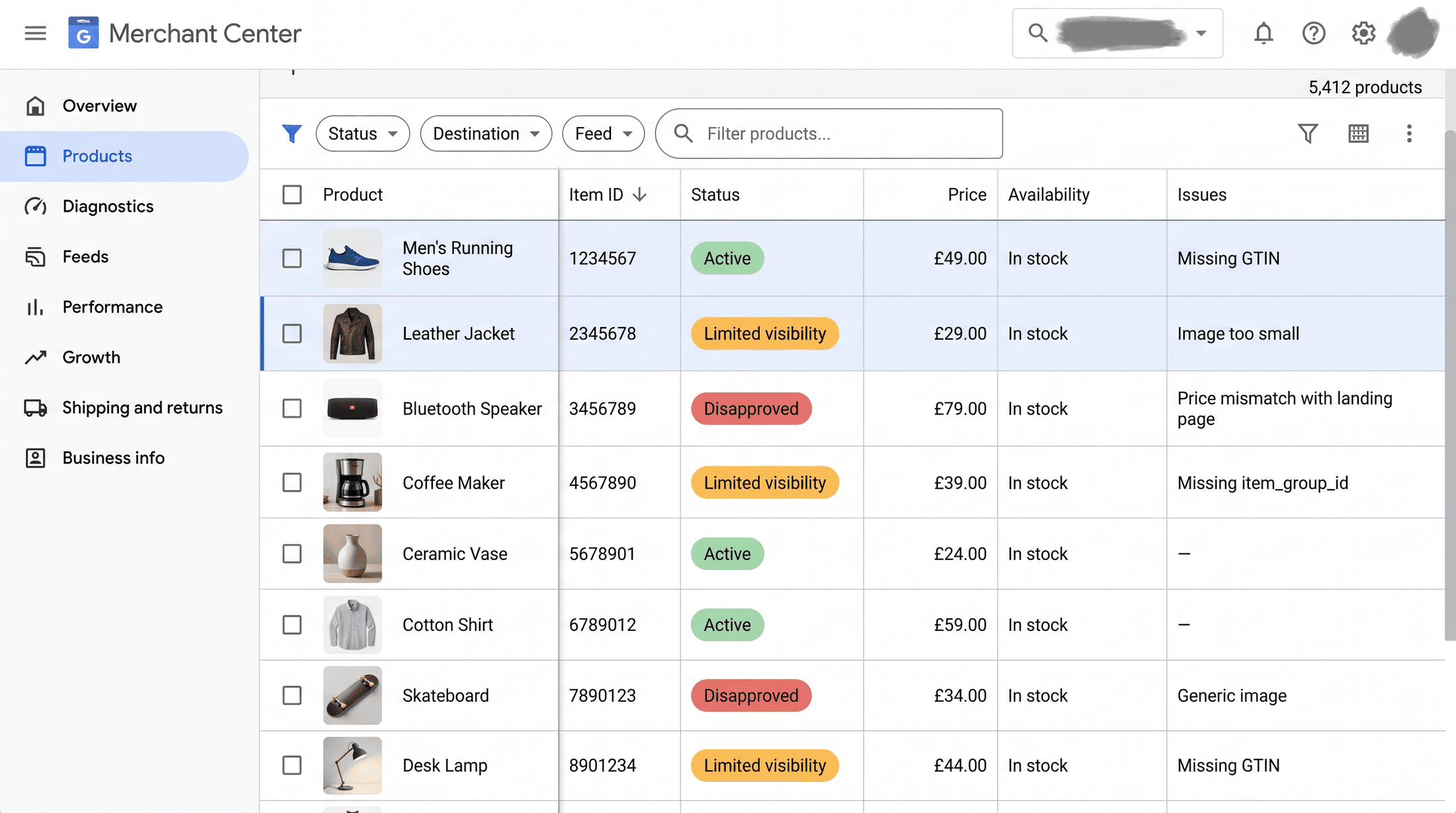
Missing GTIN is the one that hit here, but it has siblings. These four are what pull products out of your Shopping, and every one of them looks like "the ads got worse" if you don't check the feed.
→ Missing or invalid GTIN. The one above. Branded product, no barcode, Google can't verify it, gone.
→ Price mismatch. Your feed says $49.00, your page renders $44.10 after a sale the feed didn't catch. Google reads that as a bait-and-switch and throttles or disapproves the product. The feed price and the price a shopper sees have to match to the cent, currency and tax included.
→ Image problems. Someone bakes a "SALE" badge or a watermark onto the main product image, or the image URL 404s. Promotional overlays on the primary image are a disapproval. Badges belong in promotions or extra images, never on the main shot.
→ Availability mismatch. Feed says in stock, page says sold out, or the other way around. Google catches the gap and pulls back reach.
Learn these four and you can diagnose most of "why did Shopping die" in the time it takes to sort one table.
[IMAGE-4: Split screen. Left, Shopify variant grid with the "Barcode (GTIN)" column blank across rows, highlighted red. Right, a Google Sheet supplemental feed with "id" and "gtin" columns filled back in, ready to upload to Merchant Center.]
Why PMax makes this worse, not better
If you're on Performance Max, this whole thing hides longer, and you should know why.
A standard Shopping campaign at least lets you see products. PMax buries the product layer inside asset groups and listing groups. When a chunk of SKUs gets disapproved, the listing group still shows them as "included," because you did include them. They just aren't serving. PMax won't wave a flag. The revenue slides and the product-level cause is two clicks deep in a report most people never open.
So on PMax accounts, the feed is even more the first place to look, not the last. The campaign will never tell you. Merchant Center will.
Why the system beats your attention
Now the part that matters more than the story.
This exact Monday is why we stopped running on human attention. Feed health is one of 250 checks that run every night across every account, before anyone logs in. Disapprovals, missing GTINs, broken titles, price mismatches, availability flips, all of it read while everyone's asleep.
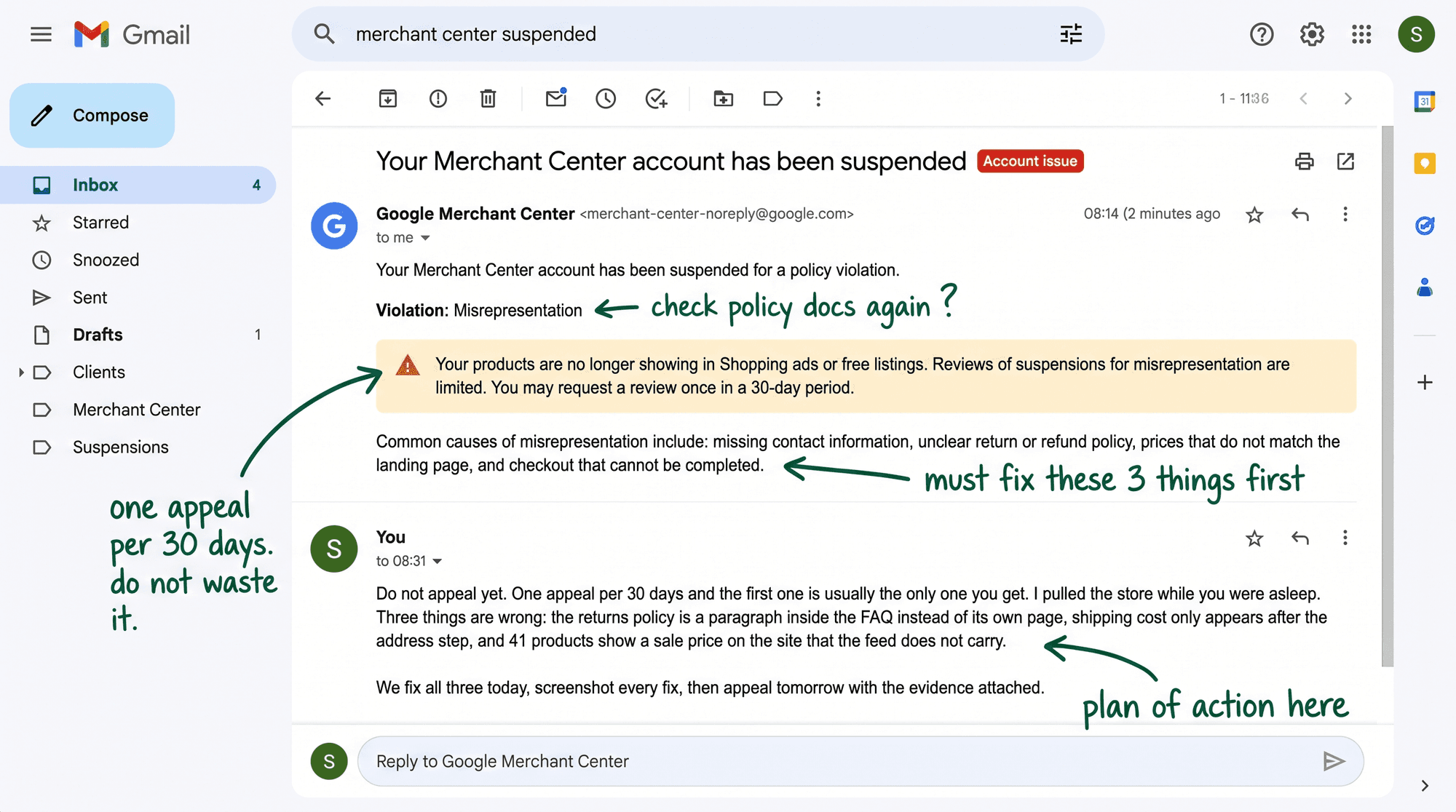
Here's the shape of it. A script hits the Merchant Center product-status data every night and diffs today's approved count against yesterday's. Any SKU that flipped from active to disapproved gets caught, grouped by reason, and posted to Slack before 8am with the estimated revenue at risk attached. A product goes dark, it gets flagged before breakfast, not three weeks later when someone notices a soft chart.
The whole point of writing a check down once is that the same Monday never happens twice. You pay for the lesson one time. After that the system carries it for you, on every account, and it doesn't get tired or go on holiday.
[IMAGE-5: Slack message from a "feed-watch" bot at 6:41am: "183 SKUs flipped active to disapproved overnight. Reason: Missing GTIN (183). Account: [blurred]. Shopping revenue at risk: ~$203/day." with a green "Open Diagnostics" button. Dark Slack UI.]
Your move this week
Whether you run one store or a hundred, do this before you touch another bid.
→ Open your own Merchant Center and find the Diagnostics tab. If you've never seen it before, that right there is the finding, and you should feel a little cold about it. That tab has been keeping score whether you looked or not.
→ Count your disapproved items. Most stores are carrying a few dead products nobody has noticed in months, paying rent for nothing.
→ Pull your Shopping revenue for the last 90 days and hunt for cliffs. Any sharp drop with no bid change behind it is almost always the feed. Not the market. Not the algorithm having a bad week. The feed.
→ While you're in there, spot-check a few products. Does the feed price match the page price to the cent, is the main image clean, does availability agree. That's the killers, checked in five minutes.
Feed health beats bid testing. It's the dullest thirty minutes in the whole account and it earns more than the clever stuff.
So before you touch a single bid this week, go check what's already switched off. What's dark in your account right now that you never thought to look for?