60 terms I paste into every new Google Ads account before I touch a single bid
Stephan Ochse ·
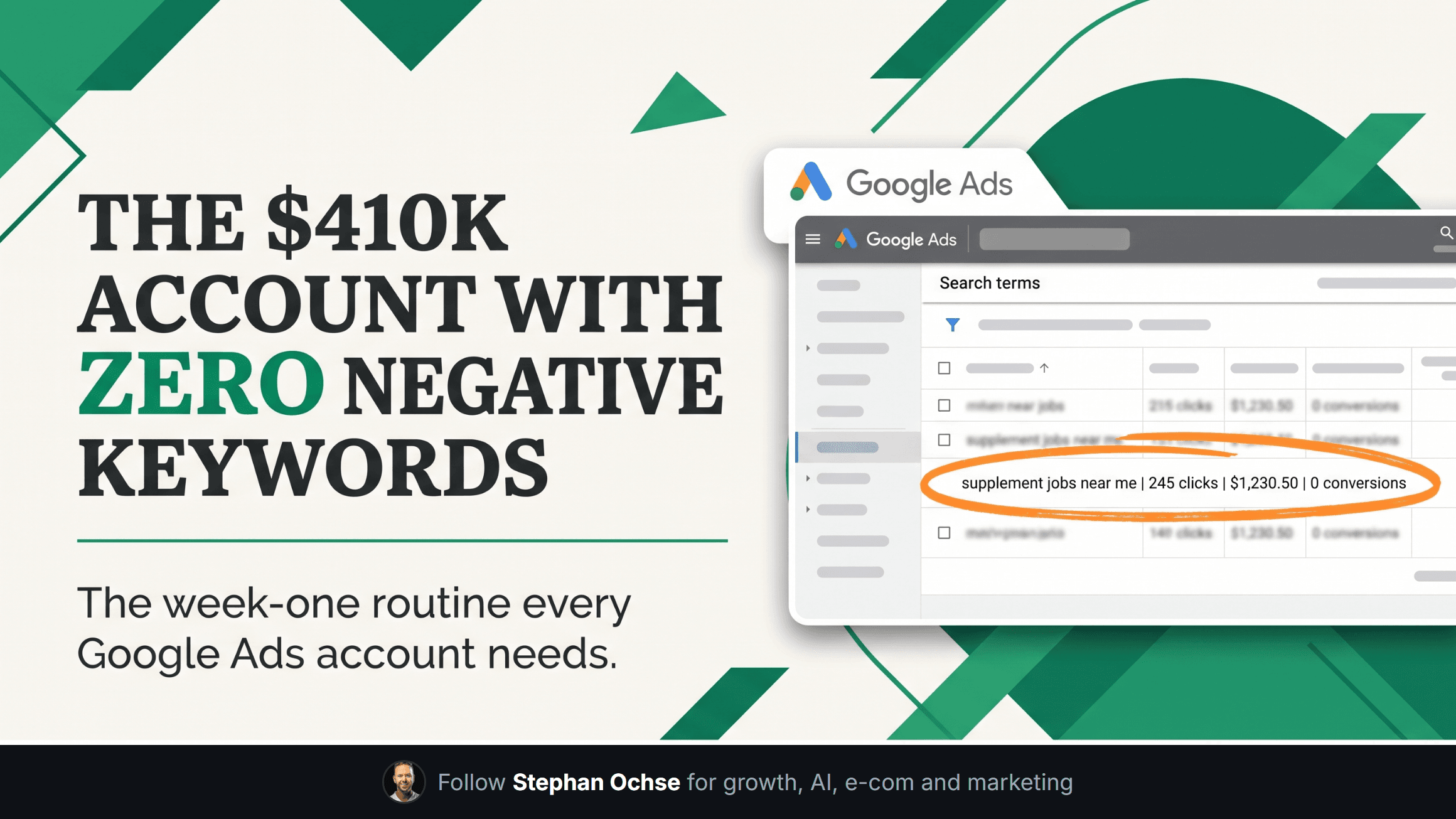
I opened an account last month spending $410K a month on an 8-figure supplement brand. Clean campaigns, tight ad groups, a Smart Bidding setup someone had spent real time on. Zero negative keywords. Not thin, zero. Google had been buying "protein powder recipe," "supplement jobs near me," and "free sample" clicks for over a year on that budget, and nobody had noticed because the ROAS blended fine. This is the fix that took less time to build than it took me to write this email.
Negative keywords are the least glamorous lever in the account and the one that moves fastest. You are not optimizing anything. You are refusing to pay for demand that was never going to convert. Most operators treat it as a one-time setup task. It is not. It is a system with an install step and a maintenance loop, and almost nobody runs the second half.
**The 60-term starter list**
Before I look at a single bid or ad, every new account gets a negative keyword list built from three buckets. This isn't exhaustive and it isn't meant to be. It's the floor.
Freebie-seeker terms, about 25 of the 60: free, download, template, sample, tutorial, DIY, course, how to make, diy version, free trial (unless you sell one), coupon code, review reddit, pdf. These queries carry buyer intent for information, not for a purchase, and they show up in volume the moment your account starts ranking for anything category-adjacent.
Job-seeker terms, about 15 of the 60: jobs, careers, hiring, salary, resume, apply, internship, "work from home," employment. A brand name plus "careers" is one of the highest-volume junk queries in any account over $50K a month in spend, and it is almost always invisible until you pull the search terms report and sort by impressions.
Brand-adjacent terms, the remaining 20, are the ones that take judgment instead of a template. These are competitor names, close misspellings of your own brand that convert at a different rate than you'd expect, and generic category terms that look relevant on paper but have converted at a tenth of your account average for months. You build this bucket from your own search terms report, not from a generic list. Pull 90 days, sort by cost, look at anything with over $200 spent and zero conversions.
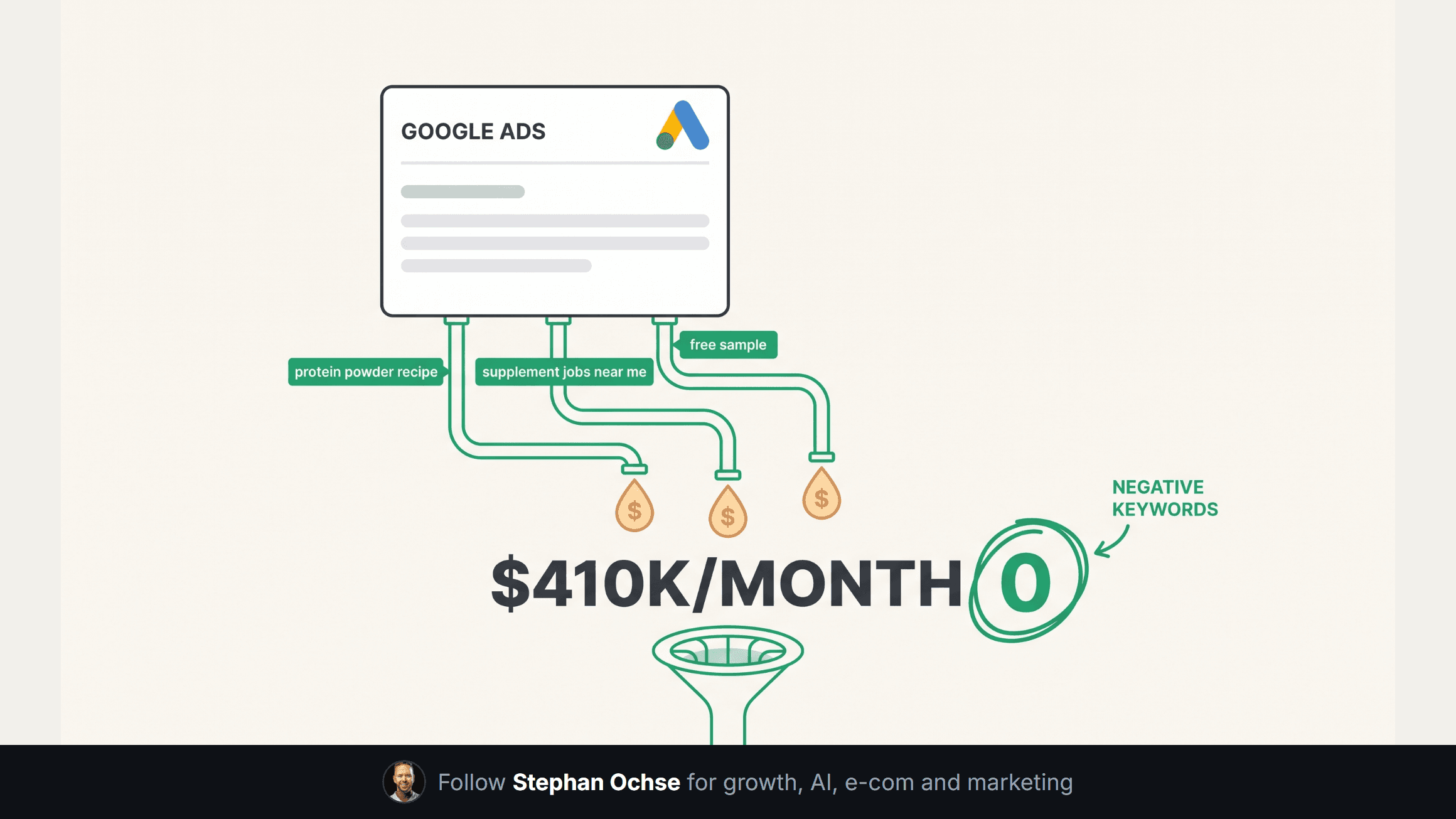
[IMAGE-1: Hyper-realistic screenshot of the Google Ads web interface (recognizable blue/white UI, Google Ads logo top left, left nav showing Campaigns/Ad groups/Keywords/Search terms highlighted), open to the Search terms report. A table of query rows with columns for Search term, Impressions, Clicks, Cost, Conversions. Several rows are highlighted in a soft red tint: "protein powder recipe," "supplement jobs near me," "free sample," each showing real-looking cost figures in the $800-$2,400 range and a 0 in the Conversions column. Account name in the header is blurred with a grey rectangle. A hand-drawn orange circle and arrow point at the total wasted spend figure at the bottom of the highlighted rows.]
**Match types are not a style choice**
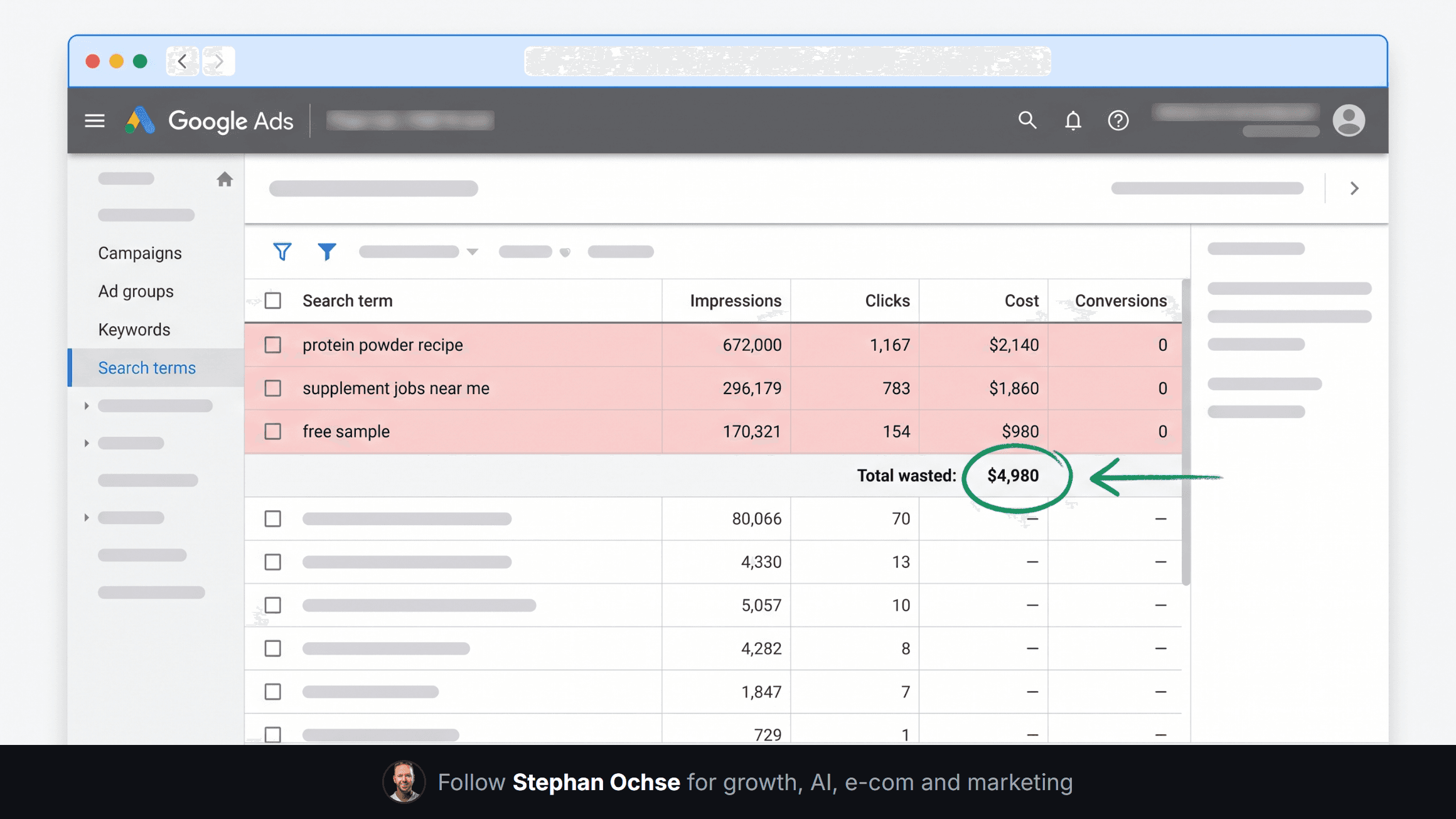
Phrase match for the freebie and job-seeker buckets. You want "free" to block "free shipping calculator for [brand]" and "free samples of [brand]" without you having to predict every combination. Broad negative match is too blunt here. It can torch a query you wanted to keep.
Exact match only for the brand-adjacent bucket, and only after you've watched the term for at least two weeks. A competitor name might be feeding you cheap, high-converting comparison traffic. Blocking it on day one because it "isn't your brand" is how you cut a channel that was working.
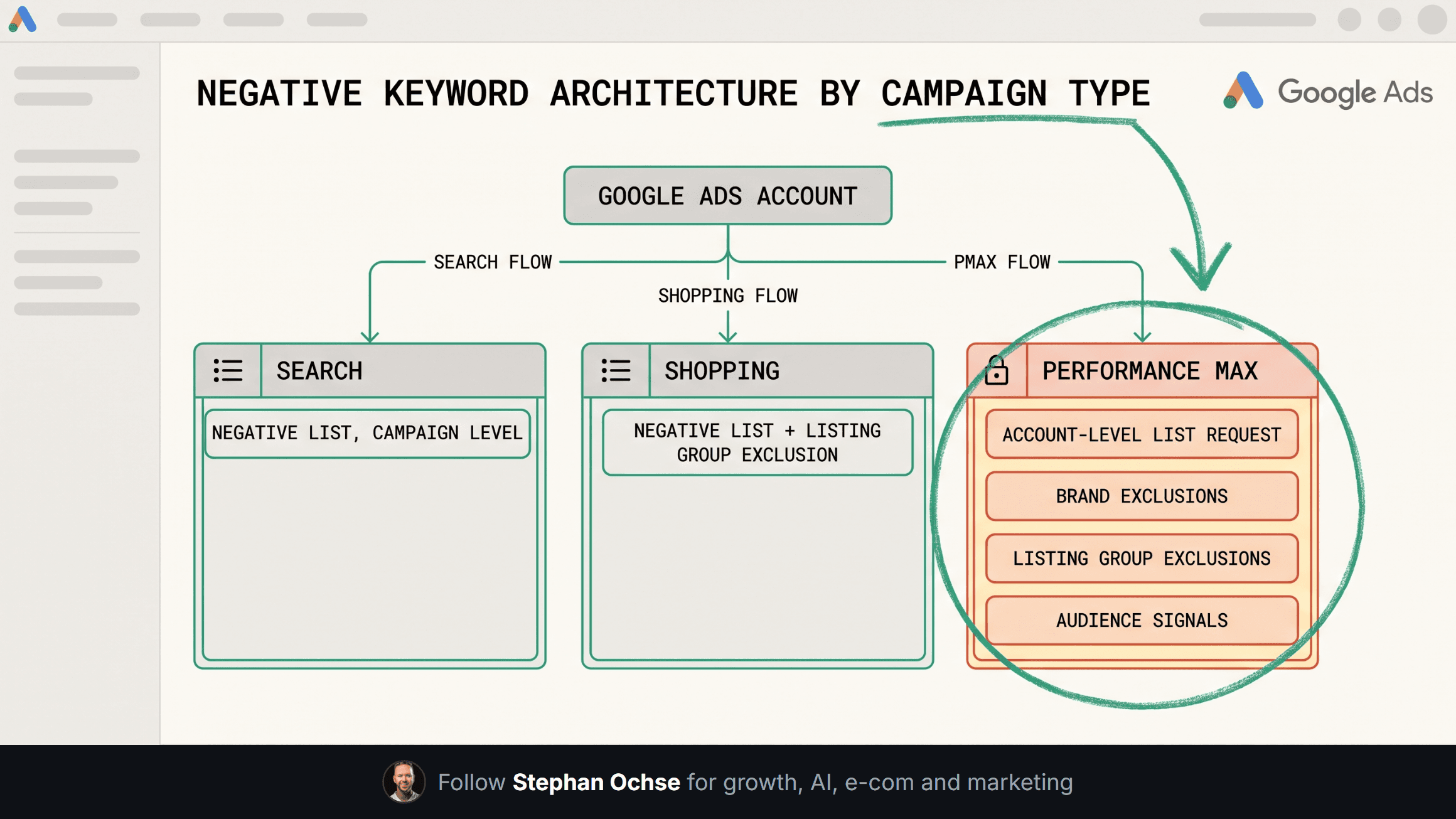
**Performance Max doesn't get a negative keyword list, and that's the trap**
Standard Search campaigns take a shared negative keyword list applied at the campaign level in minutes. PMax does not support campaign-level negative keywords at all. The only lever is an account-level negative keyword list, restricted to brand safety exclusions and gated behind a support request, plus your listing group and URL exclusions inside the campaign itself.
What this means in practice: the freebie and job-seeker junk that Search campaigns filter out with a two-minute list keeps flowing straight into PMax's Search and Display inventory unless you request the account-level list yourself. I've seen accounts where 60% of what looked like "efficient PMax spend" was branded and freebie-seeker demand the account already owned for free through organic. Once we requested the account-level negative list and tightened the audience signals, spend didn't drop, but conversions climbed because the budget stopped chasing traffic that was never going to buy.
[IMAGE-2: Dense, nerdy technical diagram on an off-white background with a thin emerald grid line texture. Title at top: "Negative keyword architecture by campaign type." Three vertical columns, each headed by a small icon and label: "Search campaigns" (negative keyword list icon, arrow showing phrase and exact match applied at campaign level), "Shopping campaigns" (same negative list mechanism plus a listing group exclusion branch), "Performance Max" (a distinct branch showing account-level negative keyword list request, brand exclusions toggle, listing group exclusions, and audience signal tightening, each in its own small labeled box with a dotted connector line back to a central "Google Ads account" hub node). Small annotation callouts in emerald text along each connector explaining match type behavior. Dense enough to look like a real technical reference card, not a marketing graphic.]
**The monthly maintenance loop**
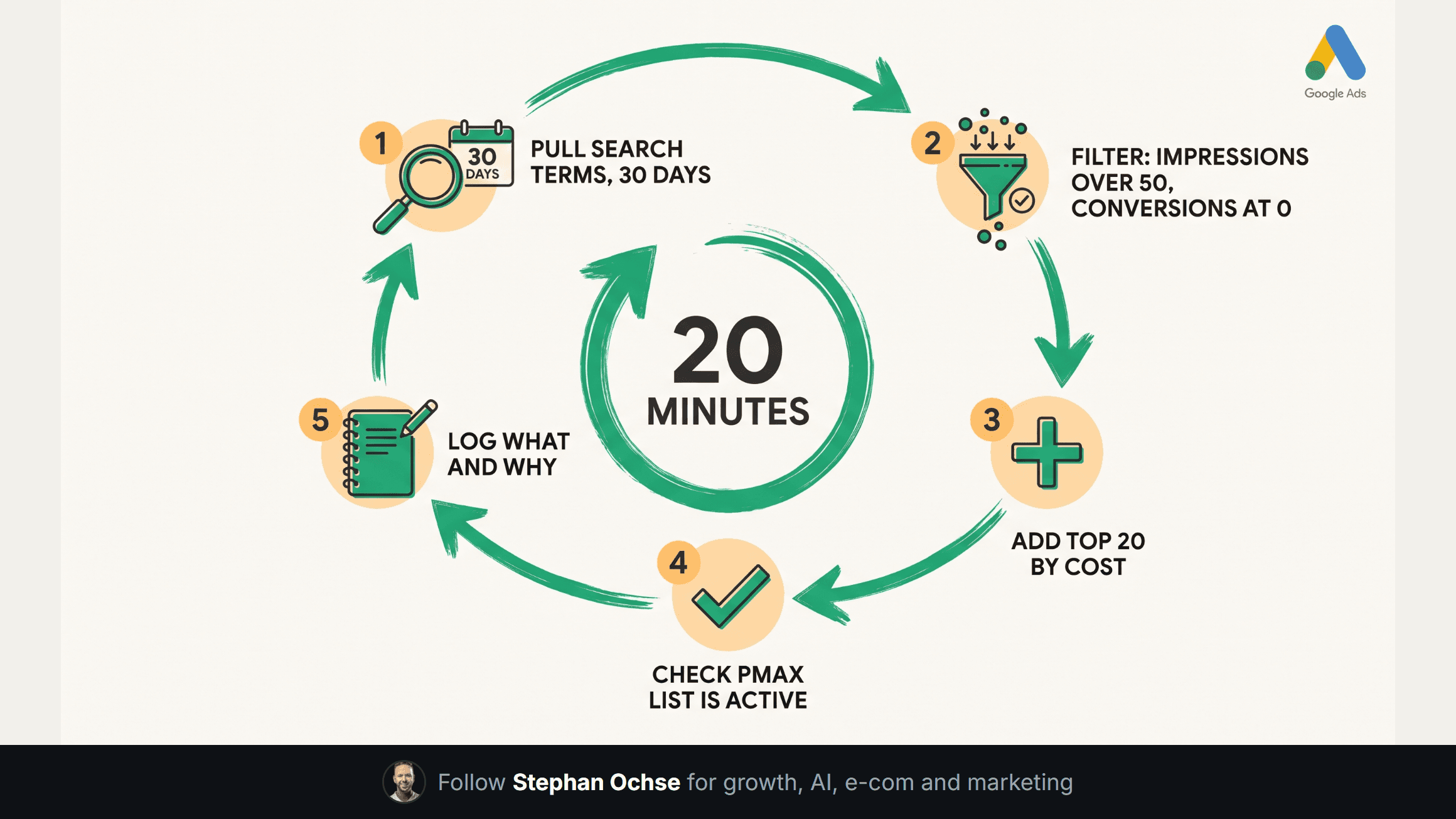
The list you build in week one decays. New queries show up every week that your static list never anticipated, and a list that never gets revisited turns into a false sense of security. The loop I run on every account once a month takes under twenty minutes:
Pull the search terms report for the trailing 30 days, filter to impressions over 50 and conversions equal to zero, sort by cost descending. Add anything in the top 20 rows that isn't already excluded. Cross-reference against the negative list to check nothing you added last month is now blocking a term that started converting, this happens more than you'd expect once a category matures. Check the PMax account-level list is still active, since it can lapse if the account structure changes. Log what you added and why, one line each, so six months from now you're not rebuilding institutional memory from scratch.
That twenty-minute loop is the difference between a negative list that protects the account and one that's a fossil from the day it was built. The accounts I manage that scaled from $300K to $1M+ a month all have this loop running on a calendar reminder, not a "we'll get to it" list.
Next edition I'm breaking down the audience signal setup that made the PMax fix above stick, because a clean negative list without the right audience signals moves the waste somewhere else in the campaign.
If you've got a negative list horror story from your own account, hit reply. I read every one, and the worst ones make it into a future edition, blurred.
[IMAGE-3: Hyper-realistic screenshot of the Google Ads web interface Shared Library section, specifically the "Negative keyword lists" management screen. Google Ads logo and left nav visible, breadcrumb showing Tools and Settings > Shared Library > Negative keyword lists. A table lists several named lists: "Freebie-seeker terms (25)," "Job-seeker terms (15)," "Brand-adjacent terms (20)," each row showing the term count and a column of checkmark icons under campaign names indicating which campaigns the list is applied to, with one row for Performance Max showing a distinct "Account-level request pending" status badge instead of a checkmark. Clean, modern Google Ads UI styling, off-white background bleeding into the frame edges.]
Why a starter list is not lazy
The objection is that every account is different, which is true and is also why the list is worth having. A starter list does not decide your strategy. It removes the ninety percent of waste that is identical across every ecommerce account so you can spend your attention on the ten percent that is specific to yours.
Add them before the first click, not after the first month. The money you save is the money you would otherwise spend learning what everybody already knows.
Then review the search terms weekly for the first six weeks. That is where your account-specific negatives come from, and they matter more than the starter list does. The list buys you the time to find them.